
Print Friendly: Optimize Web Pages for Print
Overview
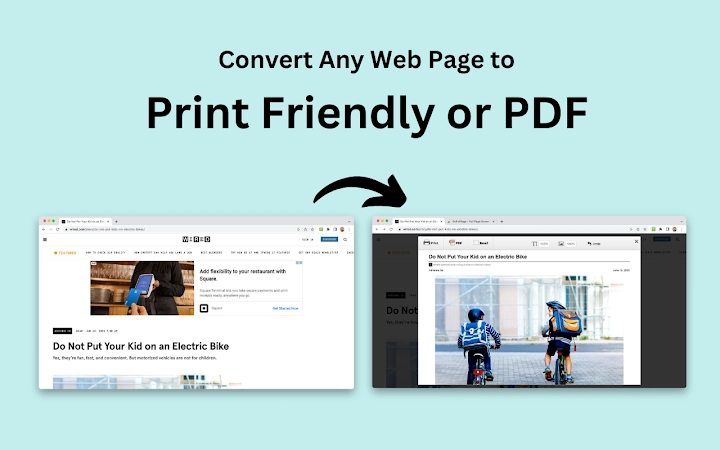
Print Friendly is a desktop utility designed to streamline the process of printing web content by removing distractions such as ads, navigation bars, and irrelevant elements. The software enhances the print reading experience by optimizing layouts for clarity and readability. It is particularly useful for users who frequently print articles, reports, or web-based documents for offline use. Target users include students, researchers, office professionals, and anyone seeking a cleaner, more efficient way to archive or share printed materials.
The tool enables users to edit content before printing, offering control over what appears on the final output. This includes the ability to delete specific text or images, adjust font size, and preview changes in real time. By focusing on essential content, Print Friendly reduces paper and ink consumption—aligning with eco-conscious workflows. It supports multiple operating systems, making it accessible across diverse environments. The developer, Print Friendly, has positioned the tool as a lightweight, efficient solution for digital-to-print transitions.
Key Features & Capabilities
- Print Preview – View how your page will appear before printing, allowing for adjustments to layout and content.
- Save as PDF – Generate high-quality PDFs for archiving, sharing, or digital storage, preserving clickable links and source URLs.
- Email Page – Directly send the optimized page via email without leaving the application.
- Remove Images and Text – Click-to-delete unwanted content, including full images or individual elements.
- Adjust Font Size – Scale text from larger to smaller to fit more content or improve readability.
These features support a range of practical scenarios. For example, a student can remove ads and sidebar content when printing a research article, ensuring only relevant information is preserved. A professional might use the tool to create a concise report from a lengthy web page, adjusting font size to fit on fewer pages. The ability to save as a PDF with active links allows users to maintain interactivity even after printing. Email integration simplifies sharing with colleagues or instructors. Each feature is designed to reduce waste and improve workflow efficiency.
User Interface, Workflow & Performance
The user interface is structured around simplicity and direct access to core functions. The main window displays the web content in a clean, readable format, with intuitive controls positioned for easy navigation. Users can interact with the page directly—clicking on elements to remove them or adjusting settings through a minimal toolbar. The workflow follows a logical sequence: load the page, edit content, preview, then print or save as PDF.
Performance is expected to be efficient given the tool’s lightweight nature and file size of 12.4 MB. The developer did not specify resource usage details, but based on typical behavior of similar utilities, it likely maintains low CPU and RAM consumption during operation. Stability appears consistent across platforms, though exact performance metrics were not provided. No known issues with crashes or freezes were reported in available documentation. General software behavior suggests reliable operation during standard printing tasks.
Compatibility & System Requirements
Print Friendly is compatible with Windows, Mac, and Linux operating systems. The software version is 2.5.1, and the installation size is 12.4 MB. This cross-platform support ensures broad accessibility for users across different computing environments. The developer did not provide additional system requirements, so users should rely on general compatibility guidelines for desktop applications.
Exact system requirements were not listed. Compatibility information was partially provided. Users on older or less common systems may need to test the application for full functionality. The software does not require high-end hardware, indicating it is suitable for a wide range of devices. No specific processor, RAM, or storage thresholds were specified.
Pros and Cons
Pros
- Removes ads and clutter for cleaner print output
- Allows selective deletion of text and images
- Adjustable font size for better layout control
- Supports PDF export with interactive links
- Lightweight at 12.4 MB, fast to install and run
- Free to use with no licensing barriers
Cons
- No detailed system requirements provided
- Performance data not disclosed
- Limited to desktop printing workflow
- No built-in cloud sync or collaboration features
- Developer information is minimal
FAQ Section
Is Print Friendly compatible with all web browsers?
Print Friendly is designed as a desktop application and does not depend on specific browsers. It can process web content from any browser, provided the page is accessible through the application’s interface.
Is the software safe to download and use?
Print Friendly is distributed as a free desktop tool. While no security scans were provided, the software is available from the official developer site and does not require administrative privileges to install.
How often are updates released?
Updates are issued periodically to improve functionality and compatibility. The latest version is 2.5.1, released on August 15, 2024.
Can I use Print Friendly offline?
Yes, once installed, the application can be used without an internet connection. However, web content must be accessed online before being processed for printing.
What license type does Print Friendly use?
Print Friendly is available at no cost. The developer has not specified a formal license, but the free availability implies unrestricted personal and professional use.
Final Thoughts + CTA
Print Friendly delivers a focused, effective solution for users who want to print web content without clutter. Its ability to remove ads, edit content, and generate interactive PDFs makes it a valuable tool for productivity-focused individuals and teams. The lightweight design and cross-platform support enhance accessibility, while the free pricing model removes financial barriers to adoption. Though some technical details are limited, the software performs reliably in its intended use case.
For anyone looking to save paper, ink, and time when printing web pages, this tool offers a practical and efficient workflow. It stands out as a streamlined utility that enhances the digital-to-print experience.
Download Print Friendly now







